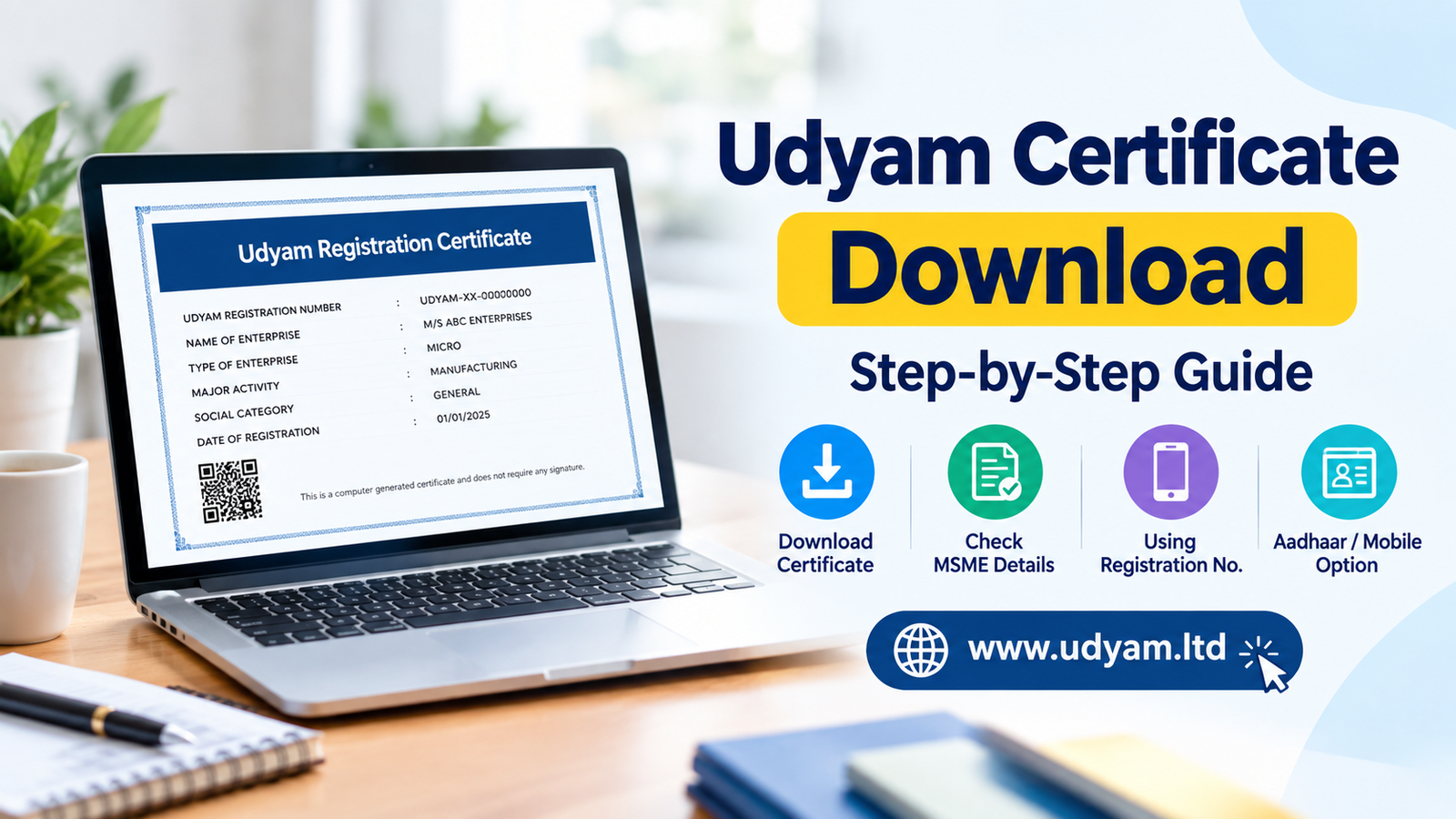
Downloading your official Udyam Certificate online is a simple, hassle-free process conducted through the government portal using your 16-digit Udyam Registration Number (URN) and registered mobile OTP.
Whether you need your MSME registration certificate for priority sector bank loans, government tenders, or subsidies, this step-by-step 2025 guide details every retrieval method and troubleshooting tip.
What is Udyam Registration?
Udyam Registration is the official online system introduced by the Ministry of Micro, Small, and Medium Enterprises (MoMSME) on July 1, 2020, to grant formal legal recognition to micro, small, and medium businesses across India. Replacing the legacy Udyog Aadhaar Memorandum (UAM) and EM-II systems, this paperless process links directly with Income Tax and GSTIN databases via the Udyam Portal. Upon registration, the government issues a lifetime-valid Udyam Registration Certificate, eliminating the need for periodic paper renewals.
Legally backed by Section 7 of the MSMED Act, 2006, this system serves as the definitive legal standing for Indian MSMEs. Possessing a valid MSME Certificate unlocks critical statutory rights, including legal protection against delayed payments under the MSME Samadhaan portal (with interest mandatory at three times the RBI bank rate), access to Priority Sector Lending (PSL) from commercial banks, waiver on security deposits in government tenders, and collateral-free business loans under CGTMSE.
Understanding the 16-Digit Udyam Registration Number Structure
Every registered enterprise is assigned a unique 16-character alphanumeric code known as the Udyam Number (URN). The format follows a standardized scheme: UDYAM-XX-00-0000000. Here is how the structure breaks down:
- UDYAM: The uniform national prefix for all recognized MSME entities across India.
- XX (State Code): A 2-letter state code denoting the enterprise’s registered physical address (e.g.,
MH for Maharashtra, DL for Delhi, KA for Karnataka).
- 00 (District Code): A 2-digit numerical code representing the specific DIC (District Industries Centre) region where the primary unit is located.
- 0000000 (Sequential Identifier): A unique 7-digit registration serial number generated specifically for your enterprise.
Real Business Example: Consider an auto-component manufacturer operating out of Pune, Maharashtra. Its URN appears as UDYAM-MH-26-0014892. In this number, UDYAM establishes national registration, MH represents Maharashtra, 26 denotes the Pune district zone, and 0014892 serves as the business's distinct legal serial code. You will need this number ready whenever you perform an official Print Udyam Certificate process.
Step-by-Step Guide: How to Download Udyam Certificate Online
Downloading your official Udyam Registration Certificate is a simple, paperless process managed entirely through the central government website. Once your business registration is approved, you do not need to visit any government office to collect physical copies. Follow these exact portal steps for a hassle-free Udyam Certificate Download:
Step 1: Navigate to the Official Udyam Portal
Open your browser and visit the official government site at Udyam Portal (udyamregistration.gov.in). On the top main navigation bar, hover over the "Print / Verify" drop-down menu and select the "Print Udyam Certificate" option.
Step 2: Enter Your Login Credentials
You will be directed to the user verification page. Input the required credentials accurately:
- Udyam Registration Number: Type your unique 19-character Udyam Number formatted as
UDYAM-XX-00-0000000.
- Mobile Number: Type the 10-digit mobile number linked to your original application.
Step 3: Select Your Preferred OTP Verification Method
The system provides two One-Time Password (OTP) verification options. Choose the option most convenient for you:
- OTP on Mobile: Sends a 6-digit verification code via SMS to your registered mobile number.
- OTP on Email: Dispatches the verification code directly to your registered business email address.
Click on the "Validate and Generate OTP" button to proceed.
Step 4: Validate OTP and Proceed
Input the 6-digit OTP received on your mobile or email into the field provided and click "Validate OTP & Proceed". If your registration is still under processing, running an Udyam Status Check | Udyam Registration Certificate Download | MSME Registration Online beforehand will ensure your registration is active and ready for download.
Step 5: Preview and Save the Official PDF Document
Your official MSME Certificate complete with your enterprise details, major activity classification (NIC code), investment category, and a secure dynamic QR code will render on screen. Click the "Print" or "Print with Annexure" button at the top of the document. In the browser printer settings, set the printer target to "Save as PDF" and save the document directly to your device for official bank, tax, or legal submissions.
Forgot Udyam Registration Number? Here’s How to Retrieve It
Losing your 16-digit Udyam Registration Number (URN)—formatted as UDYAM-XX-00-0000000—can temporarily halt critical business operations, such as applying for collateral-free bank loans, submitting government tender bids, or updating tax credentials. If you have misplaced your reference details and urgently need your official MSME Certificate, the Ministry of Micro, Small, and Medium Enterprises provides a direct online retrieval workflow on the official portal.
Step-by-Step Udyam Number Recovery Process
To safely recover your registration credentials, follow this step-by-step OTP verification guide:
- Step 1: Access the Portal: Navigate to the official website at udyamregistration.gov.in.
- Step 2: Select the Recovery Option: Click on the 'Print / Verify' tab located on the primary navigation menu and click on 'Forgot Udyam / UAM No.'.
- Step 3: Pick Registration Type: Choose 'Udyam Registration' if you registered under the updated framework post-July 1, 2020. Select 'UAM' (Udyog Aadhaar Memorandum) or 'EM-II' if you are recovering legacy registration credentials.
- Step 4: Choose OTP Delivery Mode: Select your preferred authentication channel—either Name on Aadhaar / Mobile or Email ID associated with the enterprise profile.
- Step 5: Enter Registered Details: Input the exact phone number or email address that was submitted during original application filing.
- Step 6: Validate & Retrieve: Click 'Validate and Generate OTP'. Enter the 6-digit OTP sent to your registered contact channel and click 'Validate OTP'.
Once validated, your original Udyam Number will display on the screen and be sent via automated SMS to your mobile device.
MSME Certificate Download by PAN, Mobile, or Name
Misplacing your 16-digit Udyam Registration Number (URN) can temporarily stall critical business operations, such as applying for priority sector lending under RBI guidelines or claiming government tender exemptions. If you cannot locate your original registration document, the official Udyam Portal provides built-in recovery protocols to help business owners retrieve their MSME Certificate using alternative credentials like PAN, registered mobile number, or email ID.
Step-by-Step Retrieval Protocol When URN Is Misplaced
To perform your Udyam Certificate Download without having your registration number directly at hand, follow this retrieval procedure:
- Navigate to Recovery Options: Access the Udyam portal homepage and select the "Forgot Udyam / URN" option located under the main Print/Verify drop-down menu.
- Select Registration Category: Choose Udyam Registration for registrations completed after July 1, 2020 (or UAM/EM-II if recovering legacy enterprise records).
- Choose OTP Verification Channel: Select your preferred authentication mode—either the 10-digit primary mobile number used during initial filing or the registered corporate email address.
- Validate Business PAN: Enter the 10-character Permanent Account Number linked to the proprietorship, partnership firm, private limited company, or LLP.
- Retrieve URN & Print: Enter the 6-digit OTP received on your phone or inbox. Upon validation, your Udyam Number will be displayed on the screen and sent via SMS. You can then use this U RN to execute your final Print Udyam Certificate process.
Alternative Name & Identification Searches
Due to privacy and cybersecurity protocols implemented on the portal, searching for an Udyam Registration Certificate strictly by company name without PAN or mobile validation is restricted.
Convert Udyog Aadhaar to Udyam Certificate
If your enterprise was originally registered under the legacy Udyog Aadhaar Memorandum (UAM) or Entrepreneurs Memorandum (EM-II) framework, your old certificate is no longer recognized for government benefits. The Ministry of Micro, Small and Medium Enterprises (MSME) mandated that all legacy holders must convert their registration on the official Udyam Portal to maintain their active MSME status and secure access to central and state schemes.
Migrating to the new platform replaces your old UAM details with a unified, permanent 16-digit Udyam Number and enables seamless online validation across financial institutions.
Step-by-Step UAM to Udyam Migration Process
- Navigate to the official Udyam Portal (udyamregistration.gov.in) and select the option designated for "For those having registration as EM-II or UAM".
- Enter your 12-digit Udyog Aadhaar Memorandum (UAM) number along with your registered mobile or email address.
- Choose your preferred OTP verification channel (Mobile or Email linked to your existing UAM) and click Validate and Generate OTP.
- Once verified, review your pre-populated enterprise details and update any changed operational addresses, bank account numbers, or business activities.
- Submit the migration form. Upon automated cross-verification, your updated Udyam Registration Certificate will be issued for download.
Compulsory PAN and GSTIN Linking Rules
Unlike the legacy UAM system which relied primarily on self-declaration, the Udyam architecture is fully integrated with the Central Board of Direct Taxes (CBDT) and the Goods and Services Tax Network (GSTN). Key compliance rules for migration include:
- Mandatory PAN Integration: A valid Permanent Account Number (PAN) is strictly compulsory for all migrating entities. Your enterprise’s investment and turnover figures are pulled automatically from your Income Tax Returns (ITR).
- Mandatory GSTIN Requirement: Linking a GSTIN is obligatory for any business operating in sectors or tax brackets where GST registration is mandatory under the CGST Act, 2017. Businesses exempt from GST registration under tax rules can select the exemption option during migration. If you need to verify how your tax details align with your business profile, refer to our guide on MSME Search by GST Number | Udyam Portal Registration | Verify Certificate Online.
Failure to complete this conversion prevents your business from claiming key MSME benefits, including priority sector lending interest subventions, collateral-free credit under CGTMSE, and exemptions on earnest money deposits (EMD) in public procurement tenders.
Udyam Registration Status: How to Check and Track
Before attempting your final Udyam Certificate Download, it is essential to verify that the Ministry of Micro, Small and Medium Enterprises (MSME) has fully processed and approved your application. While initial registration data is logged immediately, background validation against CBDT (PAN) and GSTN databases generally takes between 2 to 5 working days. Attempting to print the document prematurely can result in error notifications or an unvalidated PDF.
Steps to Track Your Application on the Udyam Portal
Tracking your application status online ensures your enterprise record is active before you generate your permanent MSME Certificate. Follow these steps to verify your status:
- Step 1: Access the Portal: Visit the official Udyam Portal and hover over the "Print / Verify" option in the main navigation menu.
- Step 2: Enter Application Credentials: Select the status tracking option and enter your 16-character Udyam Application Reference Number (formatted as UDYAM-XX-00-0000000) received after initial submission.
- Step 3: Complete OTP Verification: Choose your preferred mode (SMS on registered mobile or email) to receive a 6-digit One-Time Password, then enter it to authenticate access.
- Step 4: Review Application State: The dashboard will reflect your current standing:
- Under Process: System verification with income tax or GST records is ongoing.
- Action Required / Discrepancy: An error was flagged in your Aadhaar or PAN details that must be edited.
- Approved: Your official Udyam Number is assigned, enabling immediate access to Print Udyam Certificate features.
Once your application reaches approved status, your business is formally registered, unlocking benefits like collateral-free loans under CGTMSE, lower interest rates, and priority sector lending. For a deeper look into troubleshooting common portal delays, read our dedicated guide on Udyam status check online to ensure your registration stays active and compliant.
Benefits of Udyam Certificate Download
Downloading and saving your official Udyam Registration Certificate is more than just a procedural step—it unlocks a wide array of government financial schemes, priority banking privileges, and statutory protections designed for Indian small business owners. Once you finish your MSME Registration Online, keeping your official certificate accessible allows you to leverage the following key operational and financial advantages:
- Collateral-Free Loans via CGTMSE: Obtaining institutional credit without assets can be challenging for growing businesses. With a valid Udyam Certificate, micro and small enterprises become eligible for credit facilities under the Credit Guarantee Fund Trust for Micro and Small Enterprises (CGTMSE). This scheme provides bank guarantees, allowing businesses to secure collateral-free working capital and term loans up to ₹5 Crore through participating banks and NBFCs.
- Lower Bank Interest Rates & PSL Benefits: Reserve Bank of India (RBI) guidelines mandate commercial banks to target credit towards registered small businesses under Priority Sector Lending (PSL). Quoting your 16-digit Udyam Number during bank evaluations usually unlocks interest rate concessions ranging from 0.5% to 1.5%, along with reductions or waivers on processing charges.
- Protection Against Delayed Payments (MSME Samadhaan): Under the provisions of the MSMED Act, buyers must settle payments for goods or services within 45 days (if a written agreement exists) or 15 days (in the absence of an agreement). If payments are withheld, registered business owners can submit a recovery application on the MSME Samadhaan Portal (samadhaan.msme.gov.in) Defaulters are legally required to pay compound interest at three times the RBI bank rate for the delayed duration.
- GeM Portal Exemption & Procurement Preferences: Integrating your enterprise details with the Government e-Marketplace (GeM) opens direct business opportunities with government departments. Holding an active MSME Certificate provides full exemption from paying Earnest Money Deposits (EMD) or tender fees, along with relaxed criteria concerning prior turnover and experience in government procurement contracts.
To access these financial immunities and subsidies without interruption, always execute a prompt Print Udyam Certificate command from the official Udyam Portal and keep verified digital and physical copies ready for compliance audits and banking partners.
Common Issues During Udyam Certificate Download and Solutions
While accessing your Udyam Registration Certificate from the official portal is generally straightforward, enterprise owners frequently encounter temporary technical hurdles. Below are the most common issues faced during the download process and immediate step-by-step solutions to fix them.
1. OTP Delays or Non-Receipt
Issue: You do not receive the One-Time Password on your registered mobile number or email address needed for login verification.
Solution: Wait at least 2 to 3 minutes before hitting the "Resend OTP" button to prevent gateway throttling. Verify that your Aadhaar is actively linked to the mobile number you are checking. Additionally, inspect your email spam/junk folders for email-based OTPs.
2. Browser Pop-Up Blockers Preventing PDF Download
Issue: Clicking on "Print Certificate" or "Download" results in no action or a blank screen.
Solution: The portal generates your Udyam Certificate in a separate pop-up window. Most web browsers (like Google Chrome or Microsoft Edge) block automatic pop-ups by default. Navigate to your browser settings (Settings > Privacy and Security > Site Settings > Pop-ups and redirects) and allow pop-ups for the official portal. Alternatively, click the icon in your address bar to permit pop-ups for this session.
3. Server Timeouts and Portal Congestion
Issue: The webpage displays "504 Gateway Timeout" or fails to load during certificate generation.
Solution: Peak business hours (11:00 AM to 4:00 PM) experience high server loads on the Udyam Registration Portal. Try accessing the portal during off-peak hours, such as early morning or after 7:00 PM. Clear your browser cache or open the page in an Incognito window.
4. PAN-GST Mismatch Errors
Issue: An error message states that PAN details do not match the associated GSTIN records.
Solution: This occurs if the PAN used in Udyam does not strictly match the primary PAN under your GST registration (common for proprietorships switching to partnerships or private limited entities). Ensure both records share identical legal names and PAN numbers. If you recently updated your GSTIN, allow 48–72 hours for government database synchronization across CBIC and the tax portal before attempting to retrieve the updated MSME certificate.
Download Udyam Certificate in PDF Format
Once you access your document on the official Udyam Portal using your 16-digit Udyam Number and OTP, generating a clean, high-resolution PDF copy is crucial. Banks, government departments, and GeM portal managers require a fully legible Udyam Registration Certificate that retains all built-in security features—specifically the embedded scannable QR code and government emblem watermark.
Browser Print Settings for High-Quality PDF Export
When you initiate the Print Udyam Certificate command (Ctrl + P on Windows or Cmd + P on Mac) inside Google Chrome, Microsoft Edge, or Mozilla Firefox, configure your print dialogue box using these exact parameters:
- Destination: Select Save as PDF or Microsoft Print to PDF instead of a physical paper printer.
- Paper Size & Orientation: Set the paper size to standard A4 and orientation to Portrait.
- Margins: Choose Default or Minimum to prevent technical text truncation across page borders.
- Background Graphics: Click on 'More Settings' and actively enable the checkbox for Background Graphics. Leaving this box unchecked will strip out crucial visual elements like official logos, shaded table headers, and background verification seals.
Preserving Digital Signatures and Scannable QR Codes
A primary reason for rejection during tender evaluations or credit processing is an unreadable QR code or corrupted digital layout. To safeguard your Udyam Certificate Download:
- Maintain Original Resolution: Keep page scaling set to 100%. Scaling down below 100% to fit content can compress pixel density, rendering the dynamic QR code unscannable by smartphone cameras or official verification tools.
- Avoid Heavy File Compression: Do not process the exported PDF through aggressive third-party online compression tools. These utility tools often flatten layers and strip embedded digital signature metadata, rendering your MSME Certificate unverifiable.
After saving your PDF, it is good business practice to double-check that all text is legible.
MSME Registration Certificate for Bank Loans and Tenders
Securing affordable credit and winning public contracts are two critical growth drivers for small enterprises in India. Holding an official Udyam Registration Certificate acts as verified proof of your enterprise status, opening direct access to government-backed financial concessions and public procurement privileges.
1. Commercial Bank Verification for Priority Sector Lending
Under Reserve Bank of India (RBI) guidelines, commercial banks must allocate a significant portion of Adjusted Net Bank Credit (ANBC) toward Priority Sector Lending (PSL). To qualify for PSL benefits—such as reduced interest rates, lower processing fees, and collateral-free loans up to ₹5 Crore under the Credit Guarantee Fund Trust for Micro and Small Enterprises (CGTMSE) scheme—banks mandate a valid MSME Certificate.
During loan processing, credit officers perform automated credential checks against your 19-digit Udyam Number. Banks use the official Udyam Portal to cross-examine investment in plant and machinery, turnover figures, and enterprise classification directly sourced from Income Tax and GSTIN databases.
2. EMD Exemption and Benefits on Government Tenders
The Public Procurement Policy for Micro and Small Enterprises (MSEs) mandates that Central Ministries, Departments, and Central Public Sector Enterprises (CPSEs) procure at least 25% of their total annual purchases from MSEs. When bidding through the Central Public Procurement Portal (CPPP) or Government e-Marketplace (GeM), presenting a verified certificate unlocks crucial advantages:
- Earnest Money Deposit (EMD) Waiver: Standard tenders require bidders to deposit an EMD ranging between 2% and 5% of the total estimated bid value. An active Udyam Registration Certificate waives this requirement entirely, preserving vital working capital for small businesses.
- Free Tender Issue: Registered micro and small enterprises receive tender documentation free of cost.
- Price Preference (L1 + 15% Rule): If an MSE quotes a price within the L1 + 15% price band in a tender, they are permitted to supply at least 25% of the total tender quantity by matching the L1 price.
Step-by-Step Visual: Udyam Certificate Download Process
Navigating the official Udyam Portal is straightforward when you know exactly where essential menu controls and navigation buttons are located. Before beginning, ensure you have your 16-digit Udyam Number (formatted as UDYAM-XX-00-0000000) and access to your registered phone or email.
Step 1: Locate the Print Drop-Down Menu
On the official portal homepage, look at the top main navigation bar. Hover your cursor over the "Print / Verify" drop-down menu (usually the 5th menu option from the left). From the sub-menu options that appear, click on "Print Udyam Certificate".
Step 2: Fill in the Dual-Field Authentication Screen
You will be directed to the login portal. Enter your credentials using the following UI elements:
- Udyam Registration Number Box: Type your full 16-digit alphanumeric Udyam Registration Number into the top input field.
- Mobile Number Box: Enter the 10-digit mobile number submitted during your initial MSME Certificate application.
- OTP Radio Options: Select either "OTP on Mobile" or "OTP on Email" based on your preference.
- Submit Control: Click the bright blue button labeled "Validate and Generate OTP".
Step 3: Enter OTP and Navigate the Dashboard
Input the 6-digit verification code received on your device into the designated field, then click the "Validate OTP & Login" button. This unlocks your enterprise account dashboard.
Step 4: Download and Print Udyam Certificate
Once inside the dashboard, locate the top control bar above your business profile details. Click the prominent "Print Certificate" button. Your official Udyam Registration Certificate will render on screen, complete with your business classification, investment figures, and a dynamic QR code. To complete your Udyam Certificate Download, click the green "Print" button at the top-right corner of the certificate view and choose "Save as PDF" in your print options.
Udyam Certificate Download: Essential Tips for a Smooth Process
Downloading your enterprise document from the government system should take less than two minutes. However, many small business owners run into technical glitches or authentication delays due to simple administrative oversights. Following a proactive checklist ensures that your Udyam Certificate Download process remains quick, error-free, and accessible whenever you need it for banking or compliance purposes.
1. Keep Your Aadhaar-Linked Mobile SIM Active
The official Udyam Portal relies strictly on One-Time Passwords (OTPs) sent to the primary mobile number linked with the proprietor’s or authorized signatory’s Aadhaar card. If you have recently changed your phone number or disabled SMS services on that SIM, you will be unable to log in to access or Print Udyam Certificate files. Always confirm that your Aadhaar-linked mobile is active and receiving operator messages before initiating the login.
2. Maintain Updated GST and Tax Filings
Because the government portal is automatically integrated with the Income Tax and GST networks, any major mismatch in your tax filings can restrict your access to the latest Udyam Registration Certificate. If your enterprise turnover crosses the threshold requiring mandatory GST registration (₹20 Lakh for services, ₹40 Lakh for goods), ensure your GSTIN details are updated on the portal immediately to keep your MSME Certificate fully valid.
3. Secure Cloud and Offline Backups
Do not rely solely on logging into the official portal every time a vendor, lender, or regulatory authority requests your business credentials. Once you complete your download, save PDF copies in secure cloud storage (such as DigiLocker or Google Drive) and retain printed physical copies in your office records. Make sure the dynamic QR code on the certificate remains clean and scannable, as banks use it to verify your unique 16-digit Udyam Number instantly.
4. Confirm Enterprise Status Regularly
This guarantees that your enterprise investment and turnover limits accurately reflect your current Micro, Small, or Medium classification without unexpected portal holds.
How to Online Verify and Validate Udyam Certificate Authenticity
With banks, government procurement portals like GeM, and tax authorities offering specialized benefits to registered enterprises, validating the legitimacy of an MSME Certificate is crucial. Fraudulent or altered documents can lead to loan rejections, tender disqualifications, or administrative penalties. To maintain transparency, the Ministry of MSME provides real-time verification tools directly on the official portal.
Method 1: Portal Verification via Udyam Number
To verify enterprise authenticity using the registration number, follow these steps:
- Visit the official portal at udyamregistration.gov.in.
- Hover over the Print / Verify option on the top navigation bar and select Verify Udyam Registration.
- Enter the full 19-character Udyam Number (formatted as
UDYAM-XX-00-0000000).
- Enter the displayed Security Code (Captcha) accurately and click on Verify.
If the certificate is genuine, the portal displays live enterprise records, including the official unit name, enterprise classification (Micro, Small, or Medium based on investment and turnover data), primary activity (Manufacturing or Services), National Industry Classification (NIC) codes, and District Industries Centre (DIC) jurisdiction.
Method 2: Instant QR Code Scanner Tool
Every genuine Udyam Registration Certificate issued by the government contains a dynamic QR code printed on the top corner. Third-party verifiers—such as bank loan officers, auditors, or vendor onboarding teams—can instantly scan this QR code using any smartphone camera or standard QR reader.
Scanning the code instantly redirects the verifier directly to the official government server page, confirming whether the Udyam Portal record is active, modified, or canceled. If a scanned certificate leads to an unverified third-party link or fails to load official records, the document should be treated as fraudulent.
Final Thoughts
Completing your Udyam Certificate Download is far more than a routine administrative step—it establishes your business's legal recognition and unlocks official micro, small, and medium enterprise benefits across India. Having a active Udyam Registration Certificate enables access to priority sector credit under CGTMSE (collateral-free loans up to ₹5 crore), concession on patent registrations, exemption on EMD for government tenders, and strict legal protection against delayed payments under the MSMED Act, 2006.
To avoid compliance friction or sudden loan sanction delays, enterprises must ensure their profile remains accurate and fully updated. Under current MSME classification guidelines—where Micro enterprises are defined by investment up to ₹1 crore and turnover up to ₹5 crore, Small up to ₹10 crore/₹50 crore, and Medium up to ₹50 crore/₹250 crore—turnover and investment data are automatically fetched via GSTN and IT return integration on the official Udyam Portal. However, operational changes such as adding new National Industrial Classification (NIC) codes, updating primary communication details, or changing factory locations require manual profile updates.
Failure to maintain accurate credentials on your MSME Certificate can cause issues during tender submissions on GeM or periodic bank KYC reviews. Before using your 16-digit Udyam Number for critical financial transactions, it is best practice to run a Verify Udyam Registration Online | Udyam Number Check & MSME Certificate Verification (2025) to confirm that all records reflect your latest operational status. Maintain both a high-resolution PDF and a physical Print Udyam Certificate at your main operational premises to ensure complete regulatory compliance and uninterrupted business expansion in 2025.
MSME Classification Limits and Eligible Udyam Certificate Benefits
| Enterprise Category |
Investment Ceiling |
Turnover Ceiling |
Key MSME Certificate Benefits Unlocked |
Udyam Portal Processing & Fees |
| Micro Enterprise |
Up to ₹1 Crore |
Up to ₹5 Crore |
Collateral-free loans up to ₹5 Cr (CGTMSE), 50% discount on patent registration, priority sector bank credit at lower interest bands. |
₹0 Govt Fee | Instant Udyam Certificate Download via OTP |
| Small Enterprise |
Up to ₹10 Crore |
Up to ₹50 Crore |
1% interest exemption on bank overdrafts, protection against delayed payments via MSME Samadhaan, electricity bill concessions. |
Free Service | Print Udyam Certificate using Udyam Number |
| Medium Enterprise |
Up to ₹50 Crore |
Up to ₹250 Crore |
Earnest Money Deposit (EMD) exemption in Govt Tenders, subsidies on ISO certifications, access to international trade fair funds. |
Free Service | Instant PDF download on official Udyam Portal |
| General Compliance & Verification |
Auto-calculated from ITR |
Auto-synced with GSTIN |
Generates lifetime valid Udyam Registration Certificate with embedded QR code for seamless bank loan and vendor verification. |
Requires mobile/email OTP linked to 19-digit Udyam Number |
| Updated: September 2026 — Criteria aligned with official Ministry of MSME guidelines and digital Udyam Certificate services. |
Frequently Asked Questions
Is OTP mandatory for Udyam Certificate download?
Yes, OTP verification is strictly mandatory for downloading your Udyam Registration Certificate. When accessing the official Udyam Portal, you must enter your Udyam Registration Number and registered mobile number or email address. An OTP will be sent to validate your identity before granting access to print or download the MSME certificate.
Source: Ministry of Micro, Small and Medium Enterprises
Is there any official fee for downloading the Udyam Certificate?
No, there is absolutely no official fee for downloading or printing your Udyam Certificate. The Ministry of MSME provides all services on the official Udyam Portal completely free of cost. Beware of fraudulent or unofficial third-party websites charging fees for Udyam registration, certificate downloads, or updates.
Source: Ministry of Micro, Small and Medium Enterprises
What is the validity period of a downloaded Udyam Certificate?
The Udyam Registration Certificate has lifelong validity and does not require periodic renewal. As long as your enterprise details, turnover, and investment figures are updated annually on the Udyam Portal as specified by the government, your MSME certificate remains active, valid, and legally recognized indefinitely across all financial institutions and government schemes.
Source: Ministry of Micro, Small and Medium Enterprises
Can I download my Udyam Certificate using my Aadhaar card number directly?
No, you cannot download your Udyam Certificate using only your Aadhaar card number. To print or download the certificate from the Udyam Portal, you must enter your unique 16-digit Udyam Registration Number along with your registered mobile number or email ID to complete the mandatory OTP authentication process.
Source: Ministry of Micro, Small and Medium Enterprises
Why am I not receiving the OTP on my registered mobile number?
Non-receipt of OTP usually occurs due to network congestion, active Do Not Disturb (DND) settings, or entering an unregistered mobile number. Ensure you enter the mobile number linked with your Udyam Registration. You can also select the option to receive the OTP on your registered email address on the Udyam Portal.
Source: Ministry of Micro, Small and Medium Enterprises
How can I scan and verify the QR code on my printed Udyam Certificate?
You can easily verify your printed Udyam Certificate by scanning the embedded dynamic QR code using any standard smartphone camera or QR code scanner app. Scanning the code instantly redirects you to the official Udyam Portal, displaying real-time details of your enterprise to authenticate the genuineness of the MSME certificate.
Source: Ministry of Micro, Small and Medium Enterprises