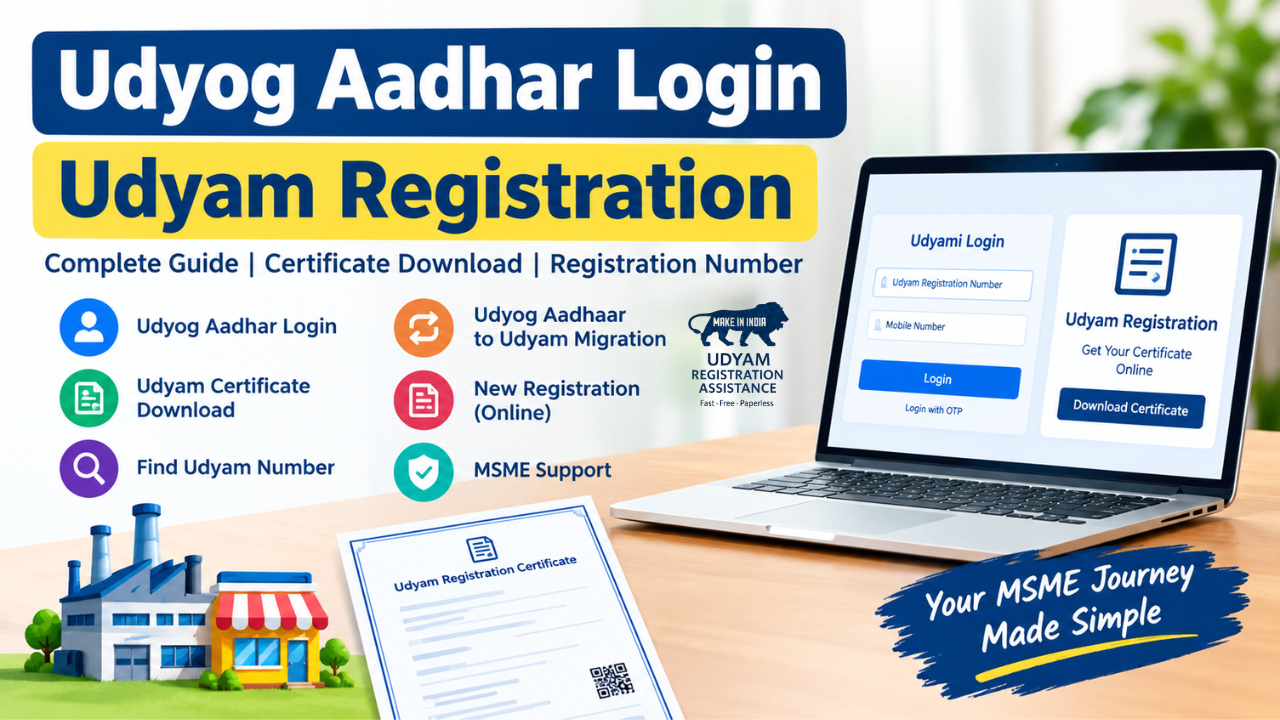
Udyog Aadhar Login | Udyam Registration | Certificate Download
If you are looking for Udyog Aadhar Login, it is important to understand that the older Udyog Aadhaar system has been replaced by the Udyam Registration Portal. Businesses that previously had a Udyog Aadhaar (UAM) registration may need to use the Udyam portal for updated registration-related services.
This guide explains how to access your registration details, download your certificate, find your registration number, and understand the connection between Udyog Aadhaar and Udyam Registration.
Udyog Aadhar Login: What Does It Mean?
Udyog Aadhar Login is commonly searched by business owners who want to access their old MSME registration information. Udyog Aadhaar was the earlier system used by micro, small and medium enterprises to obtain an MSME identification number.
The current system is Udyam Registration. Therefore, if you are searching for an old Udyog Aadhaar login, you should generally look for the relevant Udyam services instead.
The terms Udyog Aadhaar, Udyog Aadhar, and Udyam Aadhaar are often used interchangeably in online searches, but they do not all refer to the current registration system.
Udyam Registration: How Is It Related to Udyog Aadhaar?
Udyam Registration is the current MSME registration system. It replaced the earlier Udyog Aadhaar Memorandum system.
Businesses that already had an older Udyog Aadhaar registration may need to migrate or register under the Udyam system, depending on their circumstances. The Udyam system provides businesses with a Udyam Registration Number and certificate.
If you are searching for Udyog Aadhar registration, Udyog Aadhaar online, or Udyog Aadhar to Udyam, make sure you are using the current Udyam process rather than assuming the old UAM system is still the primary registration route.
Udyam Portal: Where Can You Access Registration Services?
Udyam Portal is the online platform used for MSME-related Udyam Registration services.
Through the portal, eligible businesses can access services related to:
The official Udyam system should be preferred when dealing with your MSME registration information.
Udyam Log In: Is There a Traditional Username and Password?
Udyam Log In is another popular search term, but Udyam services do not necessarily work like a conventional website account where you simply enter a username and password.
Depending on the service you are using, authentication may involve information connected with your registration and verification details.
If you have forgotten your registration number, you should use the appropriate official facility for retrieving or verifying your Udyam registration details rather than creating another registration unnecessarily.
Udyog Aadhar Download: Can You Download the Old Certificate?
Udyog Aadhar Download is searched by businesses that want a copy of their previous MSME/UAM document.
If your business has an old Udyog Aadhaar registration, the availability of its historical details may depend on the records associated with that registration. For current MSME documentation, businesses generally use the Udyam Registration system.
If you already have a valid Udyam registration, you can use the appropriate Udyam service to obtain your current certificate.
Udyam Certificate Download: How to Get Your Certificate
Udyam Certificate Download is useful when a registered enterprise needs another copy of its MSME certificate.
A typical process is:
-
Open the official Udyam Registration website.
-
Select the relevant certificate or print/download service.
-
Enter the required registration details.
-
Complete the requested verification.
-
Access your registration information.
-
Download or print the certificate.
Keep a digital copy of your certificate so that it is available when required for business, banking, tender, or other eligible purposes.
Udyam Registration Certificate Download: What Information Does It Contain?
Udyam Registration Certificate Download provides a copy of the certificate associated with an enterprise's Udyam registration.
The certificate can contain important registration information such as the enterprise name, Udyam Registration Number and other details associated with the registered enterprise.
Before using the certificate, check that the business information is correct. If you notice an error, use the appropriate update facility rather than submitting a duplicate registration without understanding the reason for the problem.
Udyam Registration Number: Why Is It Important?
Udyam Registration Number is the unique identification number associated with an enterprise's Udyam registration.
You may need this number when:
-
Accessing registration-related services
-
Downloading your certificate
-
Checking registration information
-
Providing MSME details to organisations
-
Using certain business-related services
If you cannot find your number, first check your previous certificate, email records, or other registration documents.
Find Udyam Number: What If You Have Forgotten It?
Find Udyam Number is a common requirement for business owners who cannot locate their registration certificate.
Instead of creating a new registration, first try to recover the existing registration details through the official Udyam service. Use the information requested by the portal to complete verification.
This is particularly important because creating multiple registrations for the same enterprise without a valid reason can create confusion in your business records.
Udyog Aadhar Certificate: Is It the Same as a Udyam Certificate?
Udyog Aadhar Certificate and Udyam Registration Certificate are related to MSME registration but belong to different registration systems.
Udyog Aadhaar was the earlier MSME registration mechanism. Udyam Registration is the newer system.
Therefore, if someone asks you for an updated MSME registration certificate, check whether they specifically require historical Udyog Aadhaar documentation or your current Udyam Registration Certificate.
Udyog Aadhar Registration Online: Is New Registration Still Done Through Udyog Aadhaar?
Udyog Aadhar Registration Online is still a frequently searched phrase, but new MSME registration is associated with the Udyam Registration system.
Business owners searching for Udyog Aadhar New Registration, Udyog Aadhaar Apply Online, or Udyog Aadhaar Register should therefore be careful about websites offering outdated registration processes.
For a new MSME registration, use the current Udyam Registration process.
Udyam Online Registration: Who Can Apply?
Udyam Online Registration is intended for eligible enterprises that want to obtain MSME recognition under the current registration framework.
Before starting an application, keep the required business and identity information ready. The details entered during registration should be accurate and consistent with the relevant official records.
Once registration is completed, the enterprise receives its Udyam Registration Number and can access the associated certificate.
Udyam Registration Download: Keep a Digital Copy
Udyam Registration Download can be useful for businesses that frequently need their MSME registration document.
After obtaining your certificate, save it securely on your computer or phone. You can also maintain a printed copy for situations where physical documentation is requested.
Always compare the downloaded certificate with your business records and report or correct discrepancies through the appropriate official process.
MSME Udyam Registration: What Should Business Owners Remember?
MSME Udyam Registration has replaced the older Udyog Aadhaar registration framework for current MSME registration.
The most important points are:
-
Udyog Aadhaar is the older MSME registration system.
-
Udyam Registration is the current system.
-
Udyam Registration provides a unique Udyam Registration Number.
-
Existing businesses should check their current registration status.
-
Use official Udyam services for certificate-related activities.
-
Avoid confusing third-party assistance websites with the official government portal.
-
Do not submit duplicate registrations simply because you cannot immediately find your old certificate.
Udyam Certificate Apply Online: What Should You Check Before Applying?
Udyam Certificate Apply Online searches are often made by new business owners looking for an MSME certificate.
Before applying, make sure your enterprise information is correct and that you are following the current registration process. Use the official portal and carefully review the information entered before completing the application.
If you already have an existing Udyam registration, check your existing record first rather than automatically applying for another one.
Udyam Official Website: Use the Correct Portal
Udyam Official Website is the safest starting point when you need current information about Udyam Registration, certificate downloads, updates, or other MSME registration services.
Be careful with websites using keywords such as udhog adhar com, udyog aadhar com, or udyog aadhaar government in. A website's domain name or search ranking does not by itself establish that it is an official government website.
Always verify the website address before entering business or identity information.
Udyog Aadhar to Udyam: Understanding the Change
Udyog Aadhar to Udyam describes the transition from the older MSME registration system to the current Udyam Registration framework.
If your enterprise was registered under Udyog Aadhaar in the past, check its current status and follow the applicable process for Udyam Registration. Keeping your MSME records updated can help avoid problems when you need to provide registration details for business purposes.
Conclusion
Udyog Aadhar Login remains a popular search term because many businesses remember the older Udyog Aadhaar system. However, Udyam Registration is the current MSME registration framework.
If you need to download your certificate, find your registration number, check your registration details, or register a new enterprise, make sure you use the appropriate current Udyam service. Understanding the difference between Udyog Aadhaar and Udyam Registration can help you avoid outdated websites and unnecessary duplicate registrations.
FAQs About Udyog Aadhar Login
1. What is Udyog Aadhar Login?
Udyog Aadhar Login refers to accessing details of an old Udyog Aadhaar registration. New MSME registrations are now handled through Udyam Registration.
Source: Official Udyam Portal
2. Is Udyog Aadhaar still used for new registration?
No. Udyog Aadhaar is the older system; new MSME registrations are completed through Udyam Registration.
Source: Udyam Registration
3. What is the difference between Udyog Aadhaar and Udyam Registration?
Udyog Aadhaar was the previous MSME registration system, while Udyam Registration is the current system.
Source: Udyam Portal
4. How can I log in to Udyam Registration?
You can access Udyami Login using your Udyam Registration Number and registered mobile number with OTP verification.
Source: Udyami Login
5. Can I download my Udyam Certificate online?
Yes, registered enterprises can use the official Udyam portal to print or download their Udyam Registration Certificate.
Source: Udyam Portal
6. How can I download my Udyog Aadhaar certificate?
You can use the official Udyam portal's UAM certificate printing facility with your UAM number and registered mobile number.
Source: Udyog Aadhaar Certificate
7. How can I find my Udyam Registration Number?
Use the official “Forgot UAM/Udyam Registration Number” facility and verify your registered mobile number or email through OTP.
Source: Find Udyam Number
8. Can I find my old Udyog Aadhaar number?
Yes, the official portal provides a Udyog Aadhaar verification facility where you can verify an existing UAM number.
Source: Verify Udyog Aadhaar
9. How can I migrate Udyog Aadhaar to Udyam?
Existing UAM holders can use the official UAM Migration to Udyam facility available on the Udyam portal.
Source: UAM to Udyam Migration
10. Can I register for Udyam using Aadhaar?
Yes, Aadhaar verification is required for Udyam Registration, with requirements depending on the type of enterprise.
Source: Udyam Registration Form
11. Is Udyam Registration available online?
Yes, Udyam Registration is an online, paperless process available through the official Udyam portal.
Source: Udyam Registration Portal
13. Do I need a username and password for Udyam Login?
Udyam Login primarily uses your Udyam Registration Number, registered mobile number and OTP verification.
Source: Udyami Login
14. Can I download a Udyam certificate using Aadhaar?
If you have forgotten your Udyam number, use the official number-recovery facility rather than relying only on Aadhaar for certificate download.
Source: Forgot Udyam Number
15. Does every registered enterprise get a Udyam Registration Number?
Yes, a permanent Udyam Registration Number is issued after successful registration.
Source: Udyam Registration
16. Can I verify my Udyam Registration Certificate?
Yes, you can use the official Udyam portal to access and verify your Udyam registration details.
Source: Udyam Portal
17. What if I forgot both my Udyog Aadhaar and Udyam number?
Use the official “Forgot UAM/Udyam Registration Number” service and complete OTP verification using your registered contact details.
Source: Forgot UAM/Udyam Number
