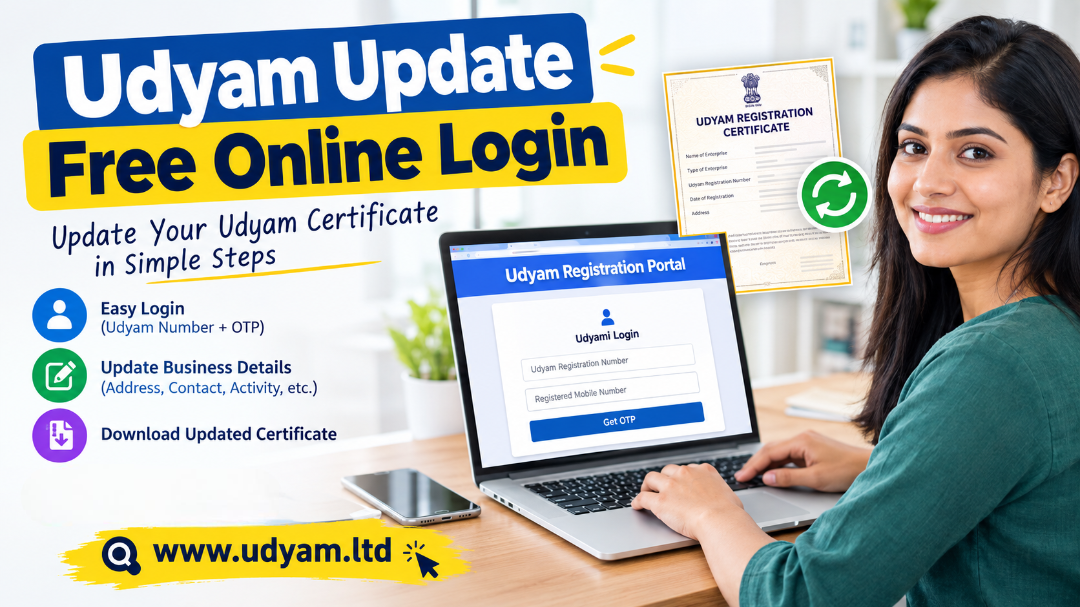
Udyam Update Free Online Login | Update Udyam Certificate
Udyam Update Free Online Login is a commonly searched term among business owners and entrepreneurs who want to update their existing Udyam Registration Certificate online. Udyam registration is important for Micro, Small, and Medium Enterprises (MSMEs) in India because it helps businesses maintain their registration details and access applicable MSME-related benefits.
Business information may change over time. For example, a business owner may need to update their mobile number, email address, business address, bank details, business activity, or other registration information. Keeping these details accurate helps ensure that the information on the Udyam certificate reflects the current status of the enterprise.
The Udyam registration system provides an online facility for accessing and updating existing registration details. Business owners can use the applicable login and verification process to access their registration information and make permitted changes.
In this guide, you will learn how to access the Udyam update login, update your certificate online, understand the required details, and resolve common login problems.
What Is Udyam Update Free Online Login?
Udyam Update Free Online Login refers to the process of signing in to the Udyam Registration Portal to access an existing MSME registration and update eligible business details.
The official portal provides a dedicated Udyami Login facility where registered business owners can enter their Udyam Registration Number and the mobile number associated with their application. After completing OTP verification, they can access their registration account.
The purpose of updating Udyam registration is to keep business information accurate and current. Depending on the available options, an enterprise may need to update its address, contact information, business activity, or other relevant details.
The portal is operated by the Ministry of Micro, Small and Medium Enterprises, Government of India. Udyam registration is free of government fees, and business owners should use the official portal to avoid unauthorized websites and unnecessary charges.
Why Is Udyam Certificate Updating Important?
Udyam certificate updating is important because business information can change over time. If the details in the registration are outdated, they may not accurately represent the current business.
Here are some common reasons to update Udyam registration:
-
Change in business address: A business may move to a new office, shop, factory, or commercial location.
-
Change in mobile number or email address: Updated contact details can help with communication and OTP verification.
-
Change in business activity: An enterprise may expand its operations or add manufacturing or service activities.
-
Correction of business information: Incorrect details may need to be corrected through the applicable update process.
-
Changes in enterprise information: Certain business details may need to be updated as the enterprise grows or changes.
-
Changes in bank details: If the relevant field is available, business owners may need to correct or update bank information.
Keeping registration details accurate can help reduce inconsistencies when the enterprise uses its Udyam certificate for business-related purposes.
How to Access Udyam Update Free Online Login
Business owners can access the Udyam update login through the official portal. The login process requires the existing Udyam Registration Number and the registered mobile number.
Udyam Login – Official Portal
Use the official login page to access your existing registration.
Step-by-Step Udyam Update Login Process
Follow these steps to access your Udyam account:
Step 1: Visit the official Udyam website
Open the official Udyam Registration Portal (www.udyamregistration.gov.in) in your browser. Make sure the website address is correct before entering any personal or business information.
Step 2: Open the Udyami Login page
Find the login option and open the Udyami Login page. This page is designed for businesses that already have a Udyam Registration Number.
Step 3: Enter your Udyam Registration Number
Enter your existing Udyam Registration Number in the required field. Check that the number is entered correctly.
Step 4: Enter your registered mobile number
Provide the mobile number used in the original Udyam application. The login system requires this number for verification.
Step 5: Choose the OTP option
Select whether you want to receive the One-Time Password (OTP) on your registered mobile number or registered email address, depending on the available options.
Step 6: Complete the verification code
Enter the displayed verification code, if requested, and select the option to generate the OTP.
Step 7: Enter the OTP
Check your selected mobile number or email inbox for the OTP. Enter it in the designated field to continue.
Step 8: Validate and log in
Complete the OTP verification process to access your registration account. The official login instructions specify the Udyam number, registered mobile number, OTP option, and OTP validation steps.
How to Update Udyam Certificate Online
After logging in, the next step is to access the applicable Update Udyam certificate or amendment facility.
The exact fields available for editing may depend on the registration details and the options provided by the portal. Not every field can necessarily be changed through the same process.
Step-by-Step Udyam Certificate Update Process
Step 1: Log in to your Udyam account
Use your Udyam Registration Number, registered mobile number, and OTP to access your account.
Step 2: Open the update or amendment section
Look for the option related to updating or modifying registration details. The wording and availability of the option may vary with the portal interface.
Step 3: Select the information you want to update
Identify the relevant field, such as contact information, business address, or business activity, if the field is available for editing.
Step 4: Enter the correct information
Carefully enter the updated details. Check spelling, numbers, and other information before proceeding.
Step 5: Review the changes
Verify that the information entered matches the actual business records. Incorrect information may create problems in future verification or business-related processes.
Step 6: Submit the update request
Submit the changes through the applicable option provided by the portal.
Step 7: Check the update status
If the portal provides a status or acknowledgment facility, use it to check whether the changes have been processed.
Step 8: Download the updated certificate
Once the changes are reflected in the registration, access the certificate facility to view, print, or download the updated Udyam certificate, where available.
Important: The steps above describe the general process. The availability of particular editing options and the time required for changes to appear can vary.
Which Details Can Be Updated in Udyam Registration?
Business owners may need to update different types of information depending on their circumstances.
The following table explains common details that may require attention.
|
Business detail
|
Why it may need updating
|
|
Mobile number
|
To maintain accurate contact information
|
|
Email address
|
To receive registration-related communication
|
|
Business address
|
To reflect a change in business location
|
|
Business activity
|
To reflect changes in manufacturing or service operations
|
|
Bank details
|
To correct relevant financial information where permitted
|
|
Enterprise information
|
To keep eligible registration details accurate
|
|
NIC code or activity classification
|
To reflect the applicable business activity, subject to portal rules
|
The actual availability of these fields should be checked after login. Some information may be sourced from linked government databases or may require a separate process.
Documents and Information Required for Udyam Update Online
The information required for updating an existing Udyam certificate depends on the nature of the requested change.
Before starting the update process, keep the following information ready:
-
Udyam Registration Number: Your existing registration number.
-
Registered mobile number: The mobile number linked to the registration.
-
Registered email address: The email address associated with the application, if needed for OTP verification.
-
OTP access: Access to the selected mobile number or email account for verification.
-
Correct business information: Updated address, activity, or other relevant details.
-
Supporting business records: Keep relevant records available if the type of change requires verification.
The official Udyam registration system uses Aadhaar, PAN, and applicable linked government information for registration and verification. However, updating an existing registration is not the same as creating a new registration.
Is Udyam Update Free Online?
Yes, the official Udyam registration process is free of government fees. The Ministry of MSME states that registration is free and that no government registration fee is payable.
For Udyam certificate updates, business owners should use the official portal and check the applicable amendment process before making any payment.
It is important to distinguish between two types of charges:
-
Government fee: The official Udyam registration process is free of government fees.
-
Private consultancy fee: A private service provider may charge for assistance with form filling, document preparation, or other support. Such a charge is a service fee, not a government registration fee.
If you are comfortable using the online portal, you can access the available services directly without paying a private consultant.
How to Download an Updated Udyam Certificate
Once the relevant changes have been processed and reflected in your registration, you may need to download the updated certificate.
Follow these general steps:
-
Visit the official Udyam Registration Portal.
-
Open the certificate printing or download facility.
-
Enter the required registration details.
-
Complete the applicable verification process.
-
Access your certificate.
-
Use the available print or download option to save a copy.
You can also check your enterprise information through the portal's registration verification facility.
Official certificate and verification facility:
Verify Udyam Registration Details
After downloading the certificate, review the business name, registration number, address, and other displayed information to ensure that the details are accurate.
Common Problems During Udyam Update Free Online Login
Sometimes business owners face difficulties while accessing their Udyam accounts. These problems may occur because of incorrect information, OTP delivery issues, or technical difficulties.
Here are some common problems and possible solutions.
1. Forgot Udyam Registration Number
If you have forgotten your Udyam Registration Number, you can use the official recovery facility.
The portal provides an option to recover a forgotten Udyam or Udyog Aadhaar number through OTP verification using the registered mobile number or email address.
Forgot Udyam Registration Number
page and follow the instructions.
2. OTP Not Received
If you do not receive the OTP, check whether the registered mobile number or email address is correct.
You can try the following:
-
Check your mobile network connection.
-
Check your email inbox and spam folder.
-
Confirm that you selected the correct OTP delivery option.
-
Wait briefly before requesting another OTP.
-
Try again later if the portal is experiencing technical difficulties.
3. Registered Mobile Number Is Not Available
If your registered mobile number is inactive or unavailable, you may not be able to complete the normal login process.
Check whether the portal offers another verification option, such as OTP through the registered email address.
If neither option is accessible, use the official support or grievance process to seek assistance with account access.
4. Incorrect Udyam Registration Number
An incorrect registration number can prevent login.
Make sure you enter the complete number in the required format, including the letters, numbers, and hyphens.
If you are unsure of your number, use the official recovery facility instead of repeatedly entering incorrect details.
5. Udyam Update Page Not Opening
The portal may occasionally experience technical problems or maintenance-related interruptions.
If the page does not open:
-
Check your internet connection.
-
Try a different browser.
-
Clear your browser cache if necessary.
-
Try again after some time.
-
Confirm that you are using the official portal.
6. Changes Not Reflected in the Certificate
Sometimes updated information may not appear immediately in the certificate.
Check the status of your update request, if a status facility is available. If the information remains incorrect, follow the applicable grievance or support process.
Benefits of Keeping Udyam Registration Updated
Maintaining accurate Udyam registration information can help business owners manage their enterprise records more effectively.
Some important benefits include:
1. Accurate business information: Updated details help ensure that the registration reflects the current business.
2. Easier document verification: Correct information can help reduce inconsistencies when the certificate is used for business-related verification.
3. Better communication: Current contact details can help the enterprise receive relevant communication.
4. Consistent business records: Accurate registration details can support consistency across business documents and records.
5. Clearer business activity information: Updating eligible activity details can help describe the enterprise's current operations more accurately.
Udyam registration may be relevant when accessing certain MSME-related services or schemes, but eligibility depends on the rules of the particular benefit or programme.
Important Things to Remember Before Updating Udyam Registration
Before making any changes, keep these points in mind:
-
Use the official Udyam Registration Portal for login and registration-related activities.
-
Keep your Udyam Registration Number and registered contact details ready.
-
Enter accurate business information.
-
Do not share your OTP with unauthorized persons.
-
Check the details carefully before submitting an update request.
-
Do not create a second registration simply to correct information in an existing certificate. The official portal states that an enterprise should not file more than one Udyam Registration.
-
Keep a copy of the updated certificate for your records.
-
If a field cannot be edited, check the applicable official process instead of assuming that the information can be changed through the normal login.
Frequently Asked Questions (FAQs)
1. How can I update my Udyam certificate online for free?
Visit the Official Udyam Registration Portal , log in using your Udyam Registration Number and registered mobile number, complete OTP verification, and access the available update facility.
2. Is Udyam Update Free Online Login available?
Yes. You can access the official Udyami Login facility online. The official Udyam registration process is free of government fees. Visit the Government Udyam Portal to access the available services.
3. How do I log in to my Udyam account?
Visit the official login page, enter your Udyam Registration Number and registered mobile number, select an OTP option, and complete verification.
4. Can I update my Udyam certificate using my mobile phone?
Yes. You can access the Udyam portal using a mobile phone with an internet connection and a compatible browser.
5. Can I update my Udyam certificate without a Udyam number?
You generally need your Udyam Registration Number to log in. If you have forgotten it, use the official number recovery facility.
6. Can I change my mobile number in Udyam registration?
You should check the available update options after logging in. The ability to change a registered mobile number depends on the applicable portal process.
7. Can I update my business address in Udyam registration?
You may be able to update eligible address details through the applicable amendment facility. Check the available fields and follow the portal's instructions.
8. How can I download my updated Udyam certificate?
After the relevant changes are reflected in your registration, use the official certificate download or print facility to access your updated certificate.
9. What should I do if I do not receive the OTP?
Check your registered mobile number or email address, verify your network connection, and try again. If the problem continues, use the official support facility.
10. Can I update my Udyam certificate without an Aadhaar OTP?
The existing Udyam login process uses the Udyam Registration Number and OTP verification through the registered mobile number or email address. Aadhaar verification requirements may differ for other services.
11. How long does it take to update a Udyam certificate?
The processing time depends on the type of update and the applicable portal process. Check the status of your request if a tracking facility is available.
12. Is Udyam registration the same as Udyog Aadhaar?
No. Udyog Aadhaar Memorandum (UAM) was the earlier MSME registration system. Udyam is the registration system introduced in 2020. Existing UAM holders were required to migrate to Udyam under the applicable process.
13. Can I make changes to my Udyam certificate after registration?
Yes, eligible details may be updated through the applicable amendment process. The available changes depend on the portal's rules and the type of information.
14. Do I need to renew my Udyam registration every year?
No. The official portal states that Udyam registration does not require renewal. However, enterprises should keep their information updated as required.
15. Can I update my Udyam registration through a private consultant?
You may seek private assistance with the process, but the official portal is the place to access the registration service. Any private consultancy charge is separate from the government registration fee.
Conclusion
Udyam Update Free Online Login helps existing MSME business owners access their registration details and use the available facilities to maintain accurate business information.
By using the official Udyam portal, completing OTP verification, and following the applicable amendment process, business owners can manage eligible updates to their registration.
Before submitting any changes, carefully review the information and keep your registration details secure. If you face login difficulties or cannot update a particular field, use the official recovery or support facility.
